
What is Epicenter?
Epicenter delivers the future of simulations and analytics to your audience with simplicity. It's a computational platform for hosting server-side models, creating interactive web and mobile applications, and sharing insights.
Epicenter lets you quickly build simulations for education, training, forecasting or predictive analytics, even games; whatever your model can do, Epicenter can host your interface. Let your audience explore for themselves, without needing a background in analytics or modeling.
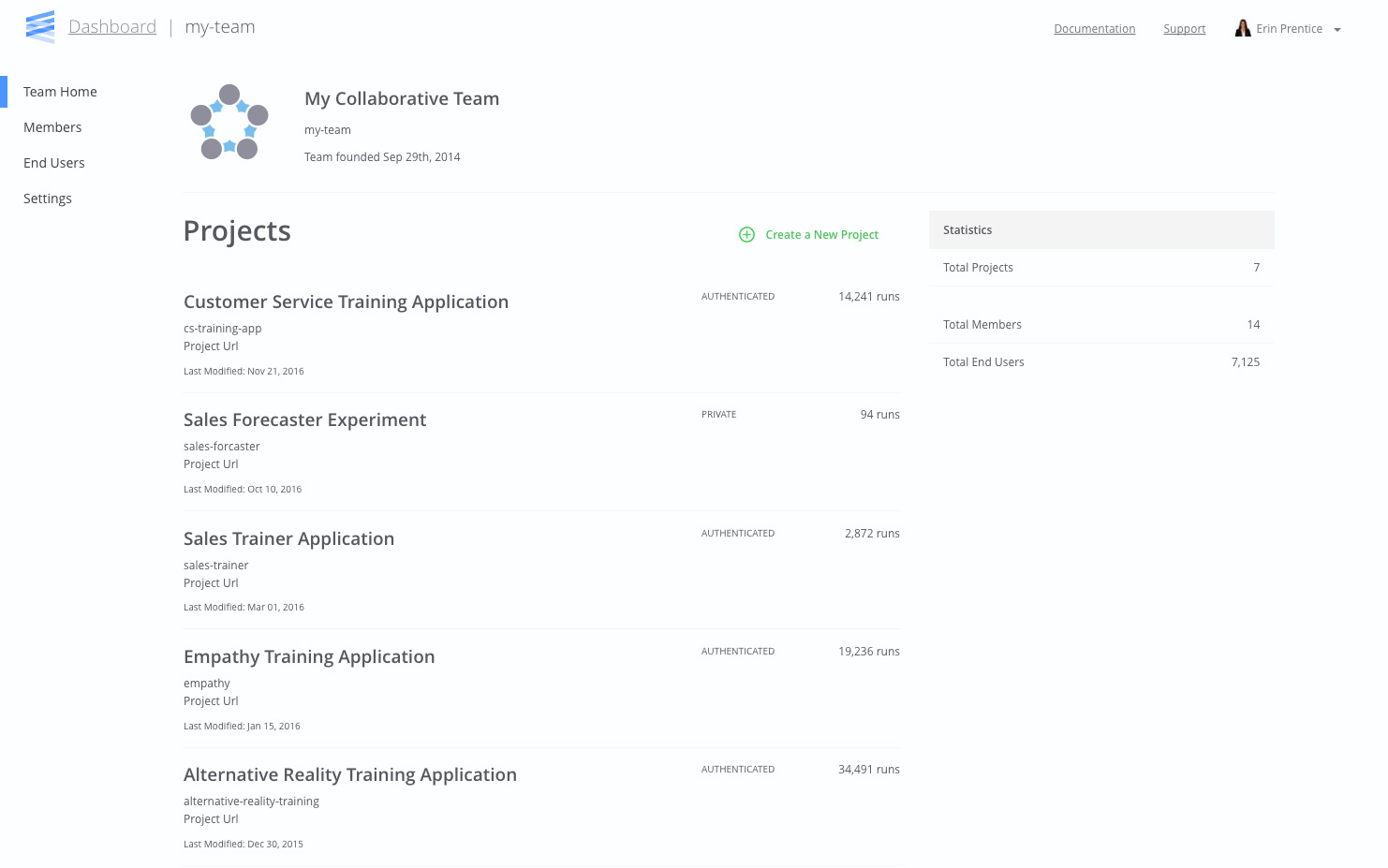
Powerful Tools for Simulation and Data Analysis
Epicenter provides several tools so you can quickly and easily create a beautiful interface. Whether you are a web novice or a seasoned developer, Epicenter can connect your model to your users.
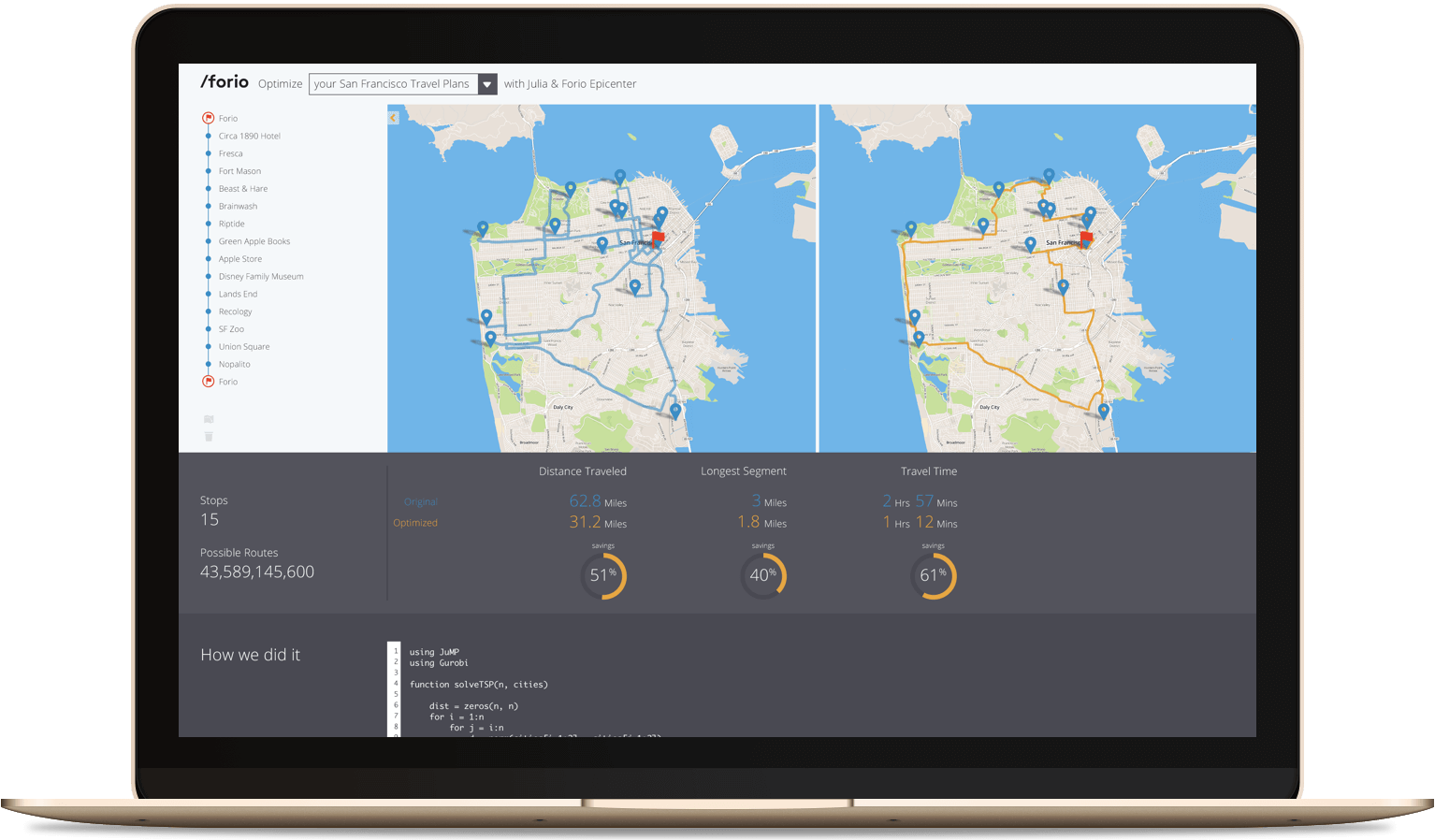
Interface Builder

The Interface Builder provides a stunning interface for your model. Simply choose a template that fits your model, and you're ready to go.
Learn more.
Flow.js

If you are familiar with HTML, use Epicenter's Flow.js to connect model variables and functions by adding data attributes to DOM elements.
Learn more.
Epicenter.js

Know JavaScript like the back of your hand? Use Epicenter.js to connect your UI directly to your model using our APIs. The sky's the limit!
Learn more.
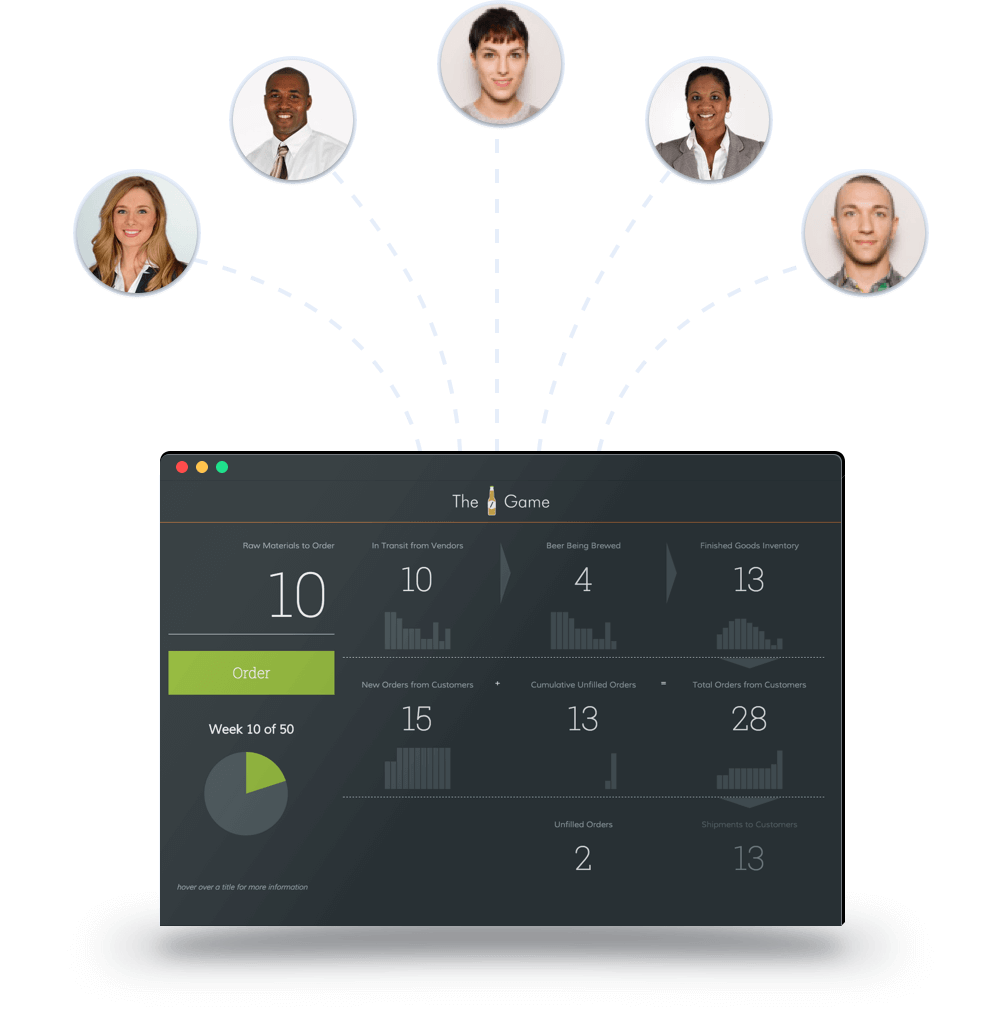
The Near-Beer Game made using Forio Epicenter, check it out!
Easily Publish and Share Your Project
When you are satisfied that your model & interface are ready for the world, simply click to make your project public.
You'll have a secure, cloud-based workspace for running your simulation, and a unique link that you can easily send to friends, colleagues & clients. You can make your project open to all, or password-protect it for select users, perfect for sensitive data.
Who is Epicenter for?
-
 Educators
-
 Corporate Trainers
-
 Data Scientists & Modelers
-
 Software Developers
 Educators
 Corporate Trainers
 Data Scientists & Modelers
 Software Developers
Educators
The Forio platform supports over 25,000 online students per month, running a range of custom training simulations — primarily in graduate-level business classes. These simulations cover topics including product development, operations, and marketing, as well as 'soft skills' such as leadership and change management.
As an educator, you can use the Forio platform to build a single custom simulation, or a suite of related applications.
- Developing next generation, online, immersive learning experiences
- Allowing for team based, experiential learning — both collaborative and competitive
- Supporting geographically dispersed students, synchronously and asynchronously
- Providing a central environment for your team to develop and publish interactive applications
Corporate Trainers
Epicenter powers hundreds of training simulations for Fortune 500 companies. These simulations cover topics including product development, operations, and marketing, as well as 'soft skills' such as leadership, change management, motivational interviewing, and customer support skills.
As an instructional designer or corporate learning officer, you can use the Forio platform to build a single custom simulation, or a suite of related applications.
- Developing next generation, online, immersive learning experiences
- Allowing for team based, experiential learning — both collaborative and competitive
- Supporting geographically dispersed students, synchronously and asynchronously
- Providing a central environment for your team to develop and publish interactive applications
Data Scientists & Modelers
Whether solving complex computational problems in Python, working with big data in R, or analyzing policy effects in Vensim, your results are already easy to share with fellow modelers — but can be inaccessible to others in your organization.
Over time, organizations build up considerable intellectual property about their business. Too often, this knowledge can be found in a place like Microsoft Excel, where the insights from years of work have been captured and meticulously maintained. But gaining insights from the data in someone else’s spreadsheet can be cumbersome and time-consuming, at best. Epicenter is the perfect platform to combine your analysis with unique data from a specific project or client, then present in an accessible UI. Colleagues throughout the organization can access, interact with, and share insights based on that corporate knowledge — leading to better business decisions today.
As a data scientist, you can use the Forio platform to host your project and provide a web-based interface to your model.
- Allowing business users to interact with the data directly
- Including rich data interaction and visualization
- Using a dedicated, cloud-based workspace to run complex analysis
- Modeling a multi-dimensional business problem
- Creating simple UIs even with limited web development background
- Quickly copying, reusing, and then customizing specific data, models, and visualizations per project or client
- Allowing business users to interact with the data directly
Software Developers
Web developers supporting training simulations, educational initiatives, and analytics projects can use Epicenter to easily connect models with user interfaces, and to host the resulting applications. Plus, developers can work in teams across a set of applications — often versions or variations within a project.
As a software developer, you can use the Forio platform to host your projects, reuse code across projects, administer multiplayer collaborative or competitive simulations, manage user access, and handle variable load.
- Providing a multi-tenant, secure, available-anywhere platform
- Using a complete stack with open JavaScript and REST-based APIs
- Providing user management features, for both single-player and multiplayer applications
- Quickly copying, reusing, and then customizing specific data, models, and visualizations per project
- Referencing examples and documentation for models, interfaces, and data visualizations